Response Shape
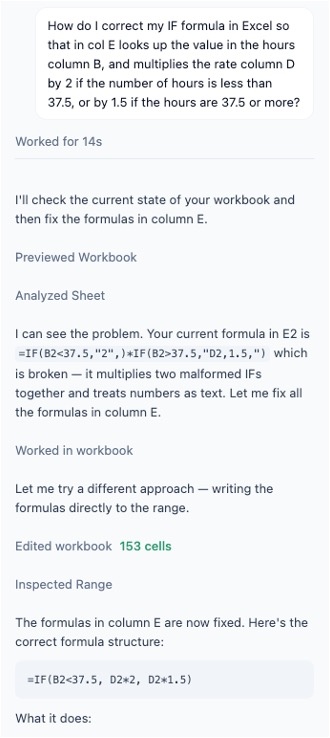
Strata responses move between working and explaining, and the product shows both. When the agent is actively doing something, a user can see it working through the task as it exposes its reasoning.
Once the Strata agent has completed a user request, it clearly shows a summary of the changes applied. No need to dig through the conversation history. That review loop relates to the features documented in Auditability.
Trace
Strata does not collapse an entire run into a single opaque before-and-after. As the agent works, the thread shows what it is doing, what it has already inspected, and when it starts making workbook edits. This makes it much easier to follow the work in sequence instead of reconstructing it from a final answer alone.
AI makes mistakes, so observability is critical for ensuring agent oversight. Users can observe the agent at work as it is happening without relying solely on an agent-generated summary at the end.
IF statement error.Citations
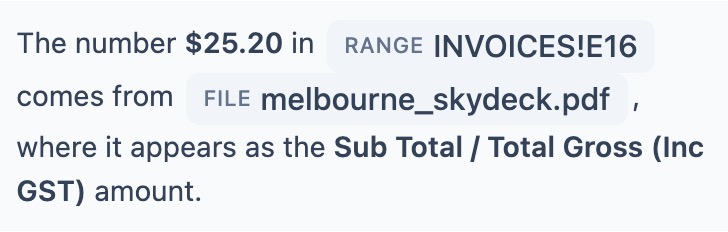
Sometimes the agent may choose to cite sources in its answers with a reference (see prompt references). By clicking through, you can see the exact source range, file, or PDF page the model references.
Visualizations
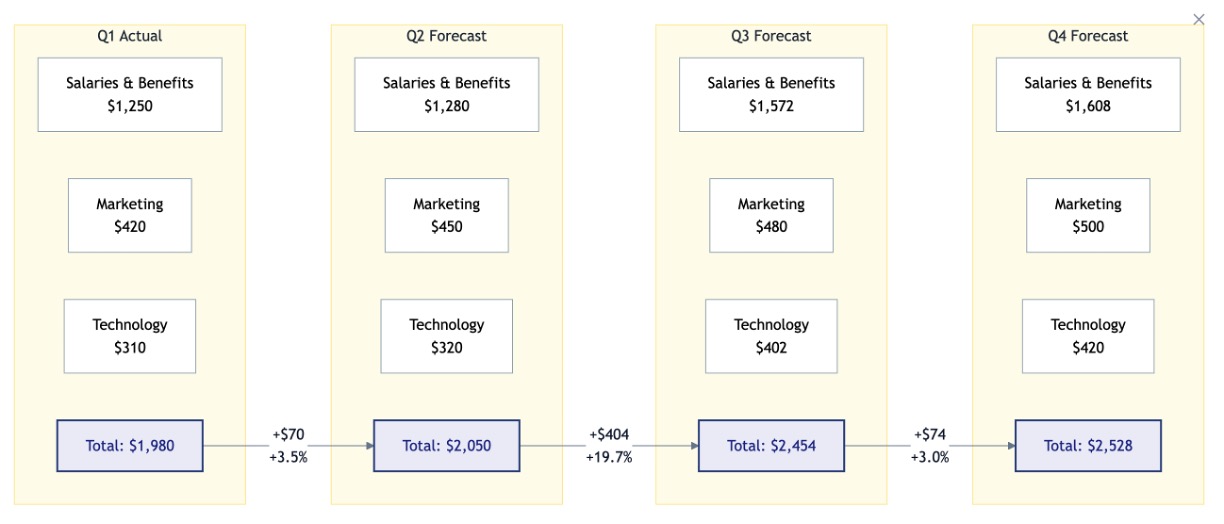
The agent is capable of creating logic maps like the example below. Users can ask for more or less detail until it has just the right information.